Whoa Look at this Cool Addon: Sortable
7 February 2023
The Problem
So I was running across a kind of exhausting situation today which isn't very uncommon for me: I was going through a tutorial and had to navigate a giant HTML table in a software backend that was pseudo-sorted. By pseudo-sorted I mean it was alphabetically sorted after being sorted in some other grouping. What this often looks like is something like this:
| Item | Description |
| Apple | A red fruit that has seeds |
| Banana | A yellow fruit that looks kind of like a ##### |
| Orange | An orange fruit with segments |
| Bell | A guy responsible for much of the neoliberal research hellscape |
| Ford | A shitty dude who is responsible for much of the industrialized horror of north america |
| Kellogg | A dude who thought corn flakes could stop you from masturbating |
See what's happening in this list? The items have been sorted with hidden categories before being alphabetically sorted. The sorting is Category > Item but Category is not exposed to us.
This becomes quickly exhausting if you are told to find an element such as "Bell" without knowing the categorization scheme. You look after "Banana" because clearly it is alphabetically sorted, and instead find "Orange." If you are lucky, perhaps the creator of the site or application has provided a sorting method which lets you click the heading to reorganize.
And if you don't, you're sorta fucked lol.
Unless...
The Addon: Sortable
So imagine my delight when I typed "table sort" into addons.mozilla.org and discovered the addon Sortable. What it does is really simple. It adds a little icon to your URL bar, right next to where things like reader view and the old RSS icon goes.
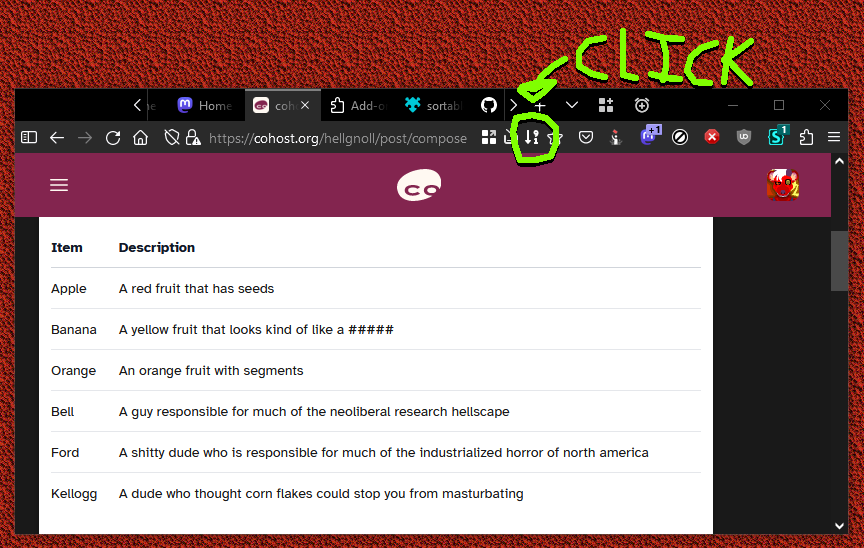
You simply click that, and then click on the header of the table on the page that you want to sort by! And whoosh, the whole table is sorted!
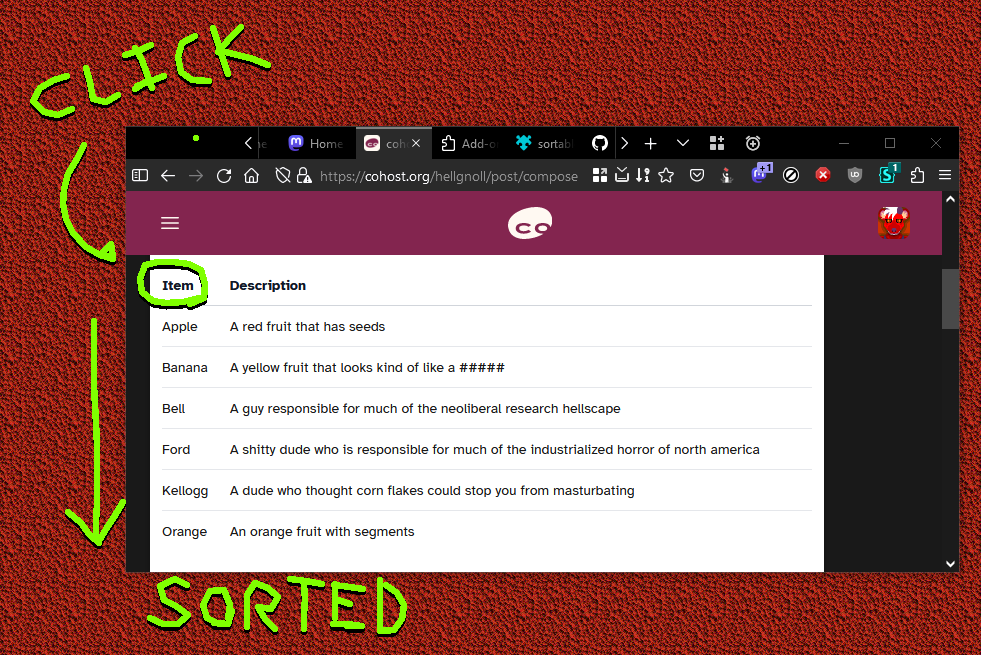
This saved me a ton of time today when I had to find about 15 options in a 100 option HTML table. Thus I figured this might save somebody else a lot of headache too! It's on the Firefox Addon site, and author Daniel Heath has also put the code up on Github